WSL2 - Suspend Resume RTC bug
Key takeaways
Then either restart WSL as it says, or reboot your PC...
No more RTC issues after this.. lovely.
Neil
Another little annoying bug that hit us, and we just found a fix for..
A little known bug with WSL2 is that it does not correctly handle resuming from a suspended state. When it does resume, the RTC clock simply continues from where it left off.. which is a problem if your machine is suspended for a few days..
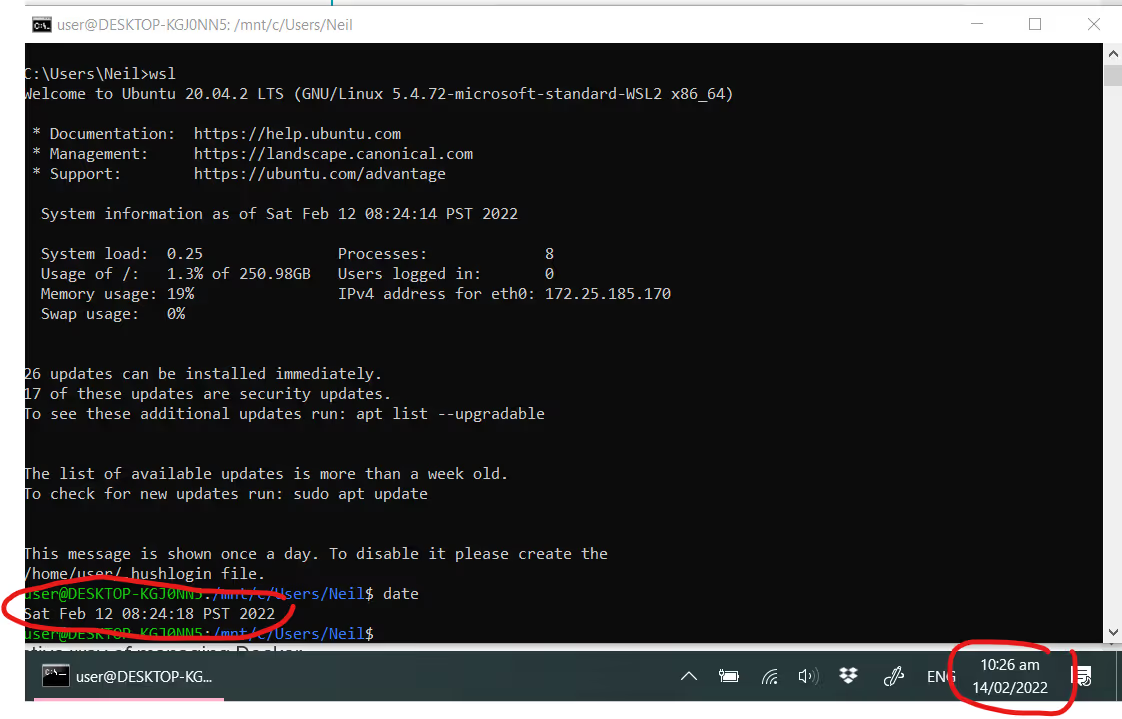
No biggie, right... wrong... with so much of the internet (and Kubernetes) forcing the use of TLS/SSL, all communications are checking x509 Certificate validity dates. For that check to work reliably, it requires that devices are kept in sync with actual date / time..
a common error seen would be:
error: Post "https://x.x.x.x:6443/api/v1/namespaces": x509: certificate has expired or is not yet valid: current time 2022-02-12T13:17:04Z is before 2022-02-14T08:53:54Z]
So, what to do...
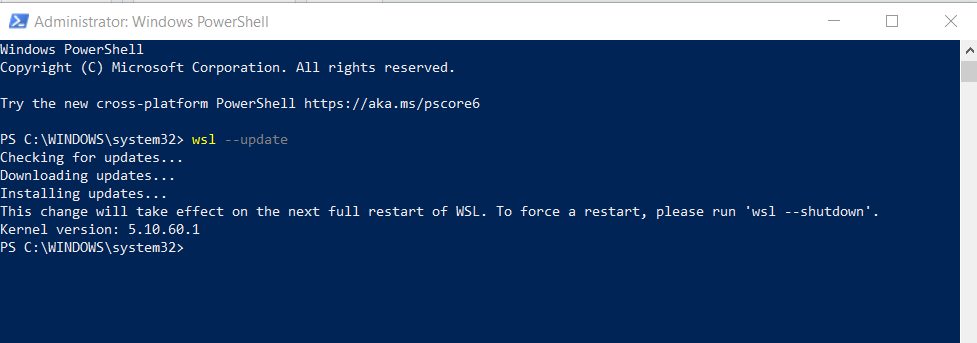
Well, its actually already fixed by MS, but for some reason, its not updated as part of Windows Update (no idea why).. to fix it, simply open a PowerShell windows as admin, and then type wsl --update
Then either restart WSL as it says, or reboot your PC...
No more RTC issues after this.. lovely.
Neil
One platform, not twelve tools.
Govern Kubernetes across your whole fleet from a single control plane. Get 3 nodes free.
Get 3 nodes freeTalk to technical sales