Using ENV files in Stacks with Portainer
Note: The following only applies to Docker Standalone and Podman.
See the Portainer Documentation for more details on creating stacks.
If your Compose uses lots of variables, load them from a .env file and let Portainer wire things up for you. It’s faster, tidier, and keeps your compose file readable.
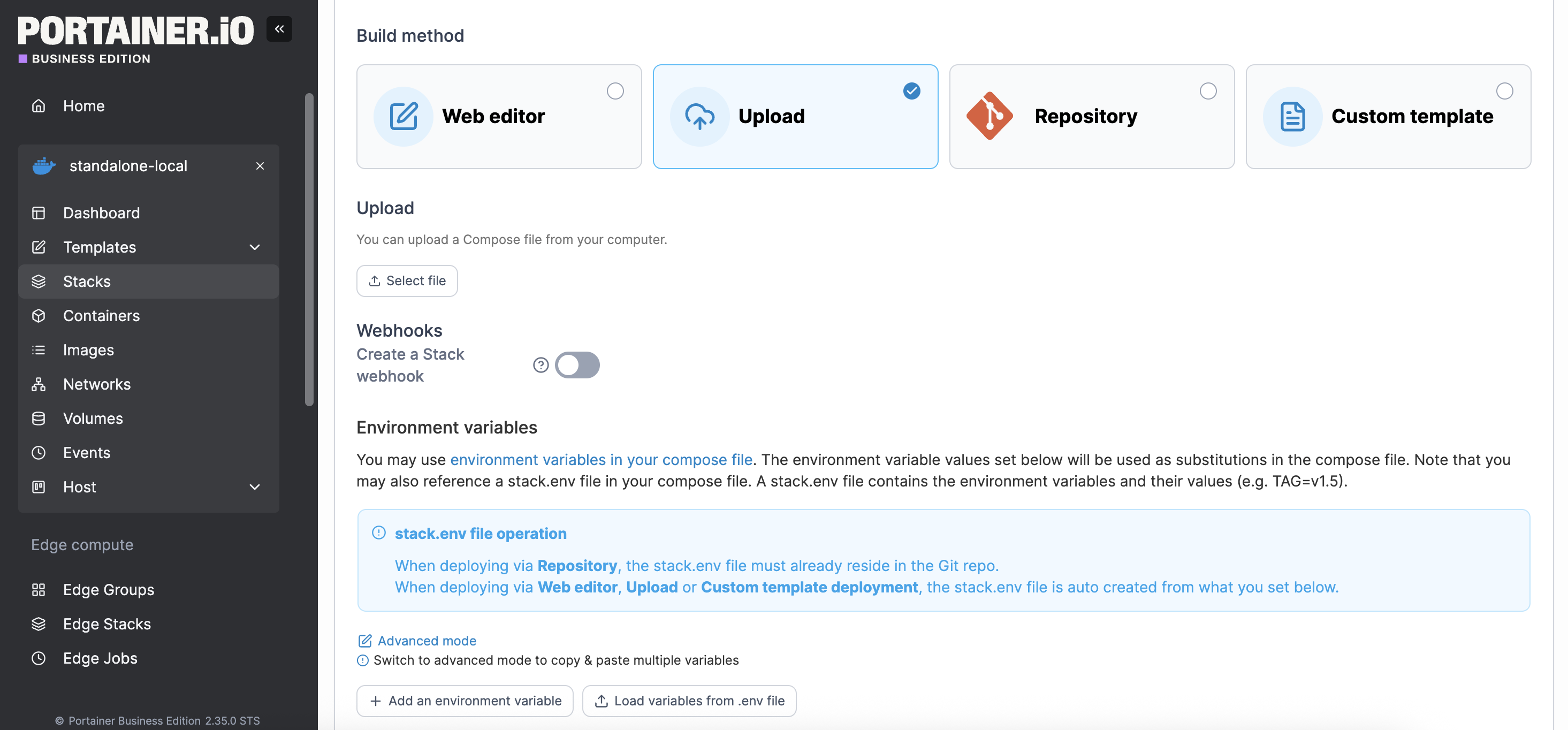
Each build method has the option to load variables from a .env file
Option 1: Use the web editor to create a Compose file
Under Stacks → Add stack → Web editor, name your stack and paste the content of your docker compose file. Then click Load variables from .env file to import a local .env file. You can then use the variables in your compose content, or point a service at the .env file.
Portainer keeps your Compose text intact, so you can update values in the UI without rewriting the file.
Option 2: Upload a Compose file
Prefer to upload a file instead of pasting? Choose Upload, pick your Compose, then add variables the same way - either one-by-one or via Load variables from .env file. You can still reference stack.env on Standalone/Podman.
Option 3: Git repository
If your compose file lives in Git, select Git repository, fill in the repo details, and deploy. You can still add environment variables in the stack creation screen; Portainer will expose them to your services. Note that Portainer clones the repo during deploy and doesn’t yet support Git submodules.
Using variables in Compose
You can reference variables directly:
services: db: image: mariadb:10.11 environment: MYSQL_DATABASE: ${MYSQL_DATABASE} MYSQL_USER: ${MYSQL_USER}
…or centralize everything with the generated stack.env:
services: worker: image: alpine command: ["sh","-c","echo Working with $APP_NAME && sleep 3600"] env_file: [stack.env]
Both approaches can be mixed - use env_file for the bulk and override with environment: if needed.
What goes in a .env file?
Plain KEY=VALUE lines, e.g.:
APP_PORT=8080 APP_NAME=MySite LOG_LEVEL=info
After you import this file in the stack form, Portainer makes it available to your services (either via environment: expansion or by referencing stack.env). The compose file text itself isn’t rewritten, so it is in sync with your source.
Try Portainer with 3 Nodes Free
If you're ready to get started with Portainer Business, 3 nodes free is a great place to begin. If you'd prefer to get in touch with us, we'd love to hear from you!
One platform, not twelve tools.
Govern Kubernetes across your whole fleet from a single control plane. Get 3 nodes free.
Get 3 nodes freeTalk to technical sales