GitOps with Portainer using GitHub Actions
Key takeaways
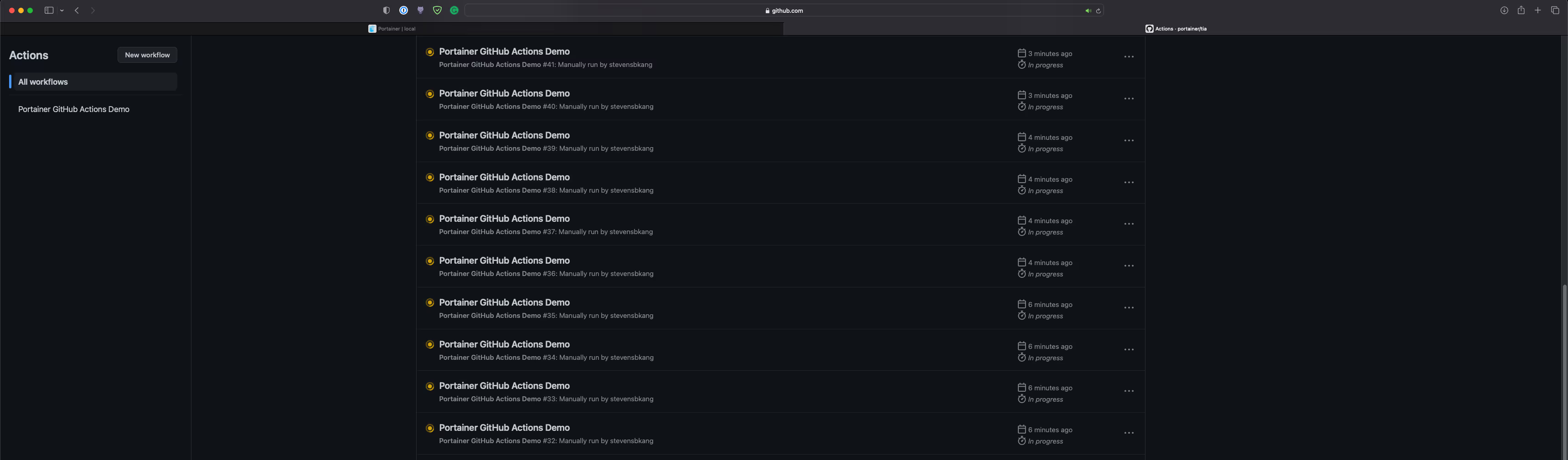
Based on your requirements, modify the HorizontalRunnerAutoscaler block to customize configurations such as minReplicas, maxReplicas, metrics, and so on.
Conclusion
As you can see, not only Portainer can be used to deploy applications via GUI, but it also provides APIs (The API specifications are published via Swagger) for the end users to interact with Portainer programatically.
Give Portainer a try today, experience simplified Kubernetes Operations today.
Introduction
Portainer has released an awesome GitOps feature for end-users to boost their deployments to Portainer based on Git, and our CEO, Neil has put together an excellent blog on Portainer as part of your CI/CD Pipeline for Docker and Kubernetes. In addition to this, I wanted to share how GitHub Actions can be utilized to achieve the same results in a programmatical way.
In this blog post, I will be going through:
- Deploy Portainer on a local Kubernetes cluster
- Setup self-hosted GitHub Actions runner using Portainer
- Write a simple GitHub Actions workflow to interact with Portainer using a simple curl operation to deploy a GitOps based application
Note: All the artefacts used in this blog can be found in this
- It is a container based, not a virtual machine, thus a runner can spin up, and execute jobs instantly
- A golden CI image can be developed to accelerate building artefacts. For instance, cache build related components in the image
Portainer Deployment in Kubernetes
We will need to boostrap a local Kubernetes cluster. In my case, I have utilized an Elastic Kubernetes Service (EKS) cluster in AWS, but you can use a kind, MicroK8s, K3d, minikube, or any other Kubernetes clusters.
In your Kubernetes cluster, deploy a Portainer instance using our Helm chart. Please refer to our doc for more details.
GitHub Actions Self-hosted Runners
Next, let's provision GitHub Actions self-hosted runners in our local Kubernetes environment. It would be nice if Portainer can be published in the internet so that GitHub cloud managed runners can directly interact with Portainer, but that is not ideal. In case you have to, we have a blog post on how to secure Portainer.
For GitHub Actions self-hosted runners to run, there is an awesome GitHub project called actions-runner-controller operator to host these as containers. The benefits are:
- The runners will horizontally scale in/out based on the requirements (a CRD called
HorizontalRunnerAutoscaler)
For more details, refer to this.
In this blog post, it will use a GitHub Application for authentication, and provide self-hosted runners at an organization level. This way, the runners can be consumed by multiple repositories. Please walk-through the links thoroughly, and obtain the following:
- APP_ID
- INSTALLATION_ID
- PRIVATE_KEY
Below are the steps to deploy our own container based self-hosted runner via Portainer:
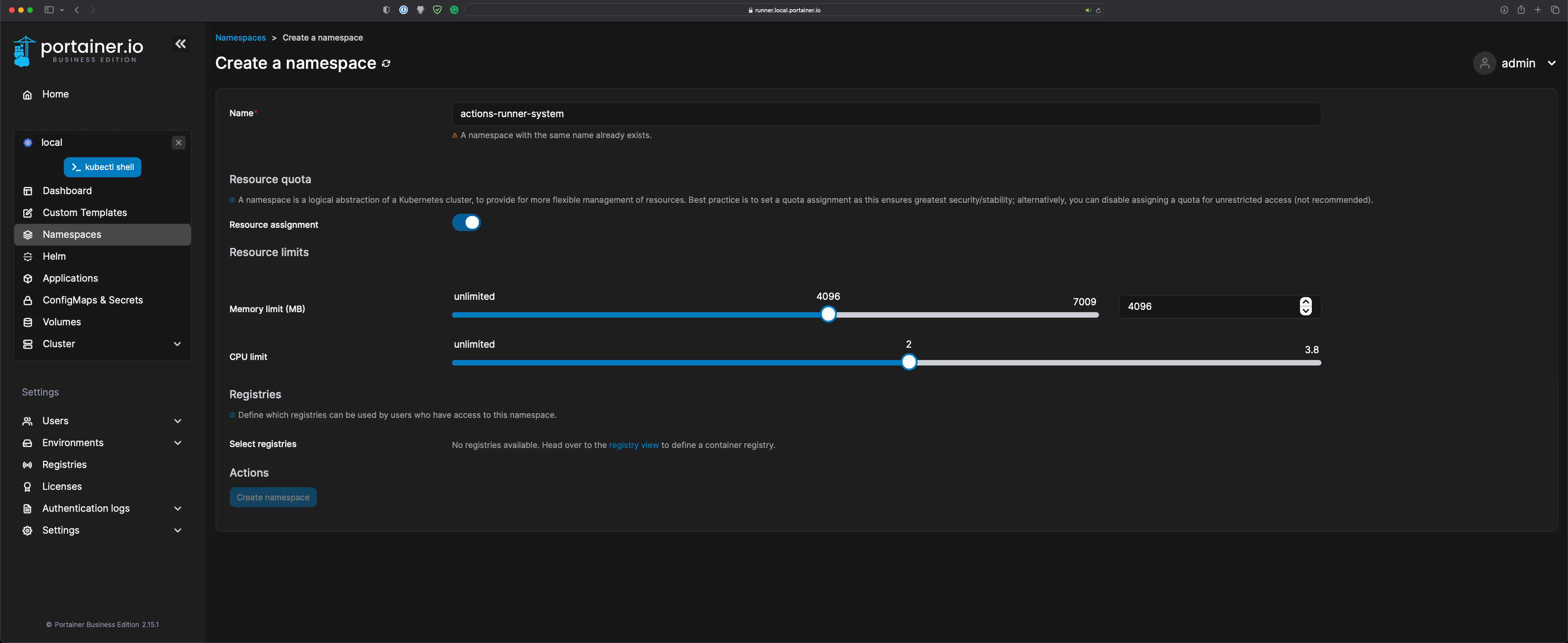
- Browse to our Portainer instance ➝ Local Endpoint ➝ Namespaces
- Create a Namespace called actions-runner-system. Resource limits will vary depend on your environment, so please use this as a guideline:
- Navigate to ConfigMaps & Secrets to create a secret called controller-manager with the key/values as per the screenshot below in the actions-runner-system namespace:
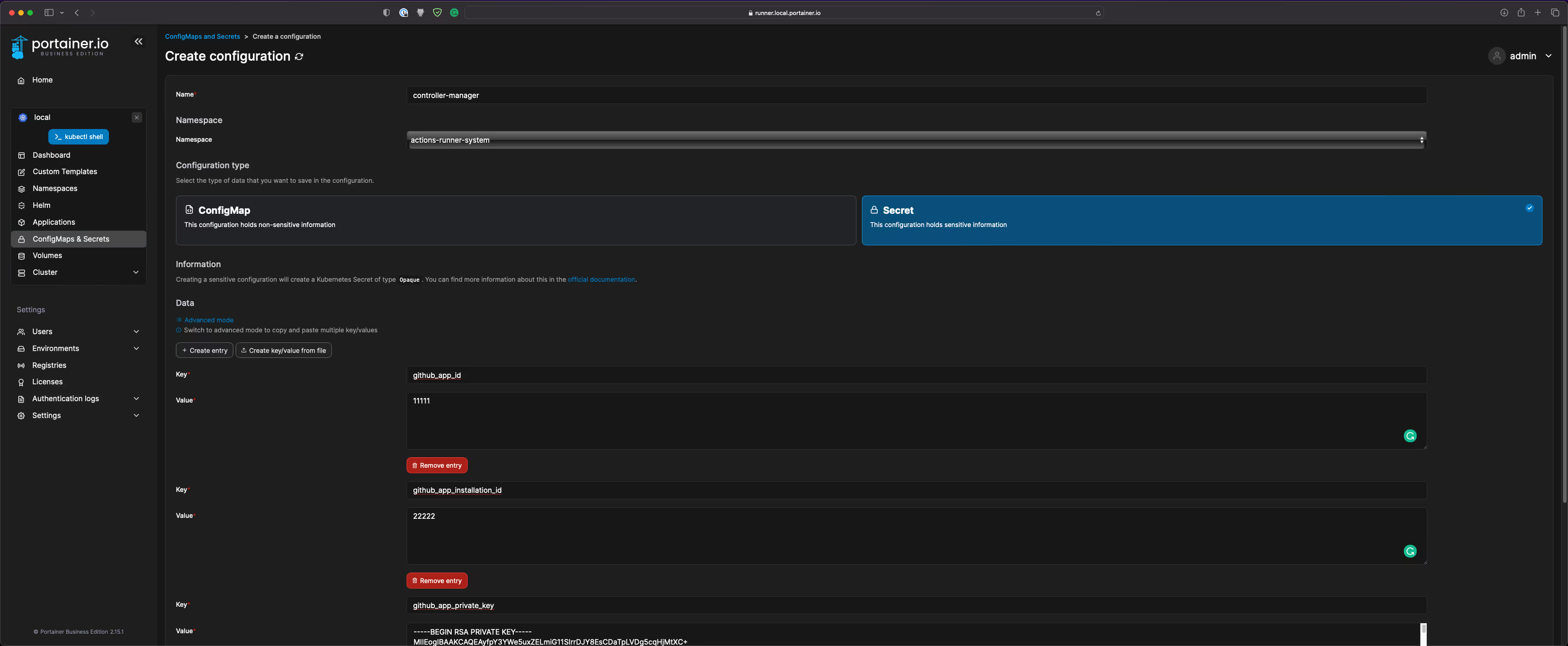
- Note: For the github_app_private_key, use the Create Key/value from file option
- Add the actions-runner-controller Helm repository (https://actions-runner-controller.github.io/actions-runner-controller):
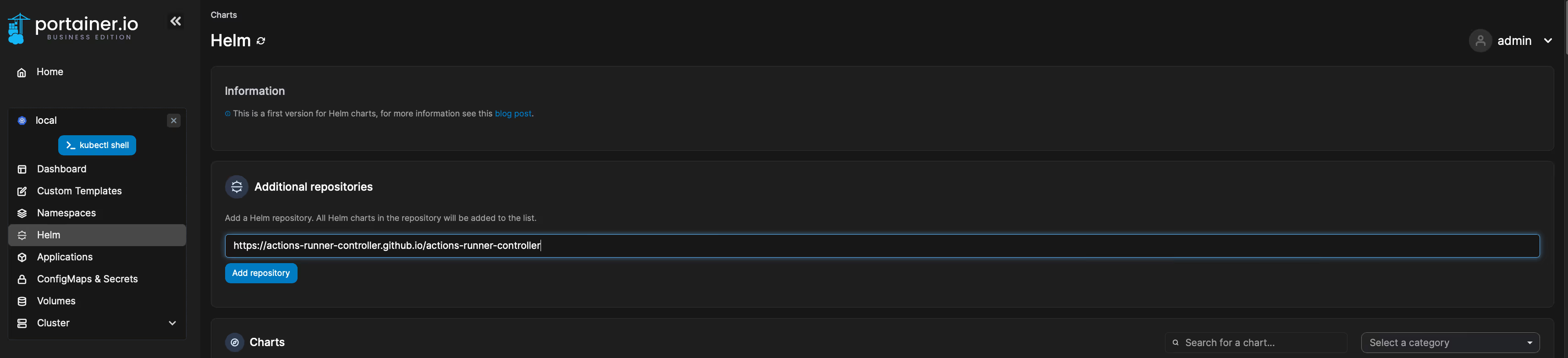
- Deploy the Helm Chart. I have not modified the values file, but do so if required:
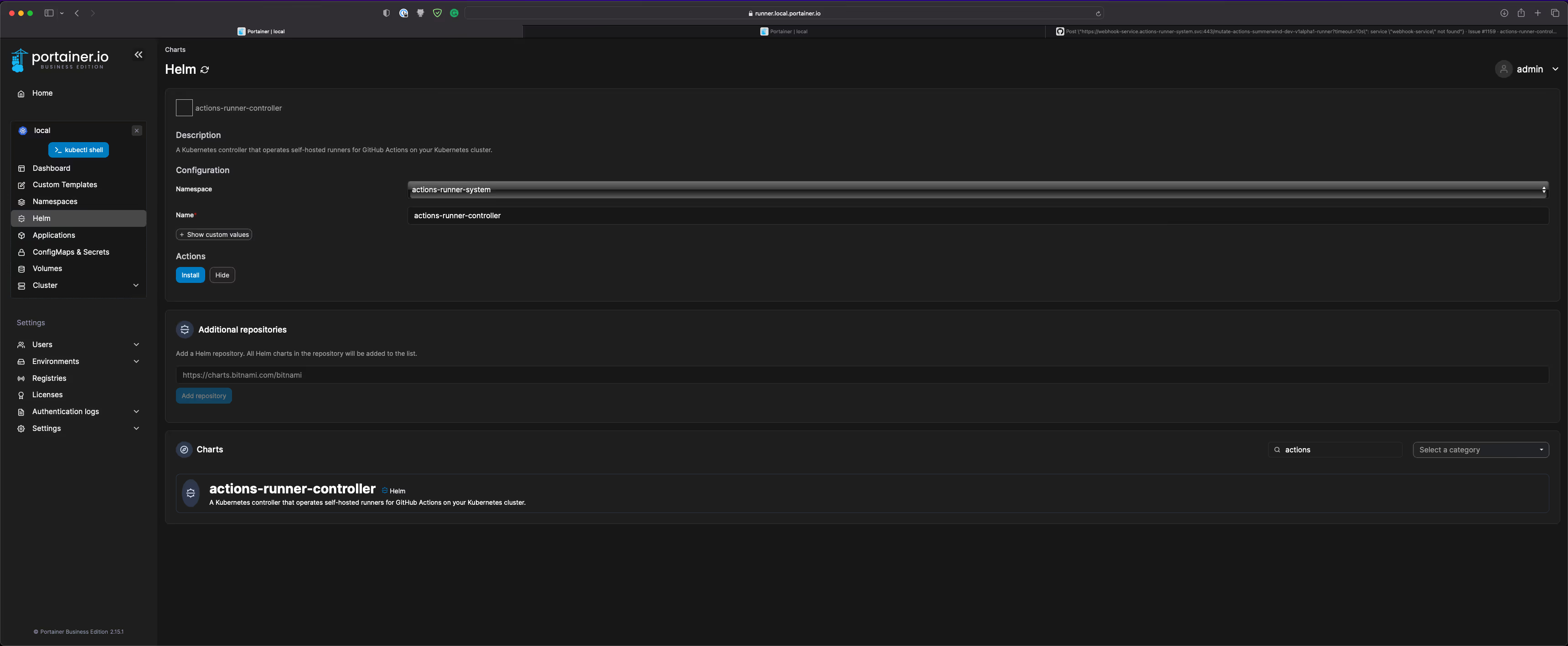
- Check the status of the actions-runner-controller and ensure it is healthy:
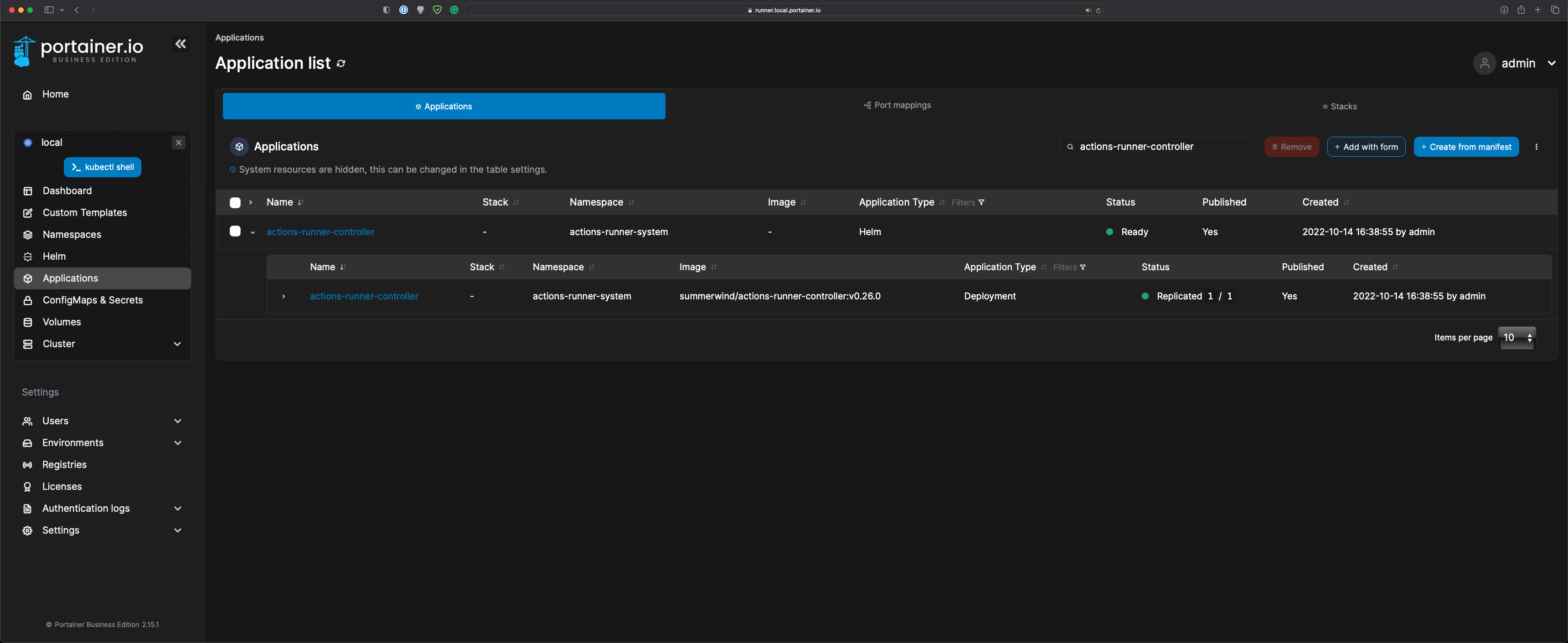
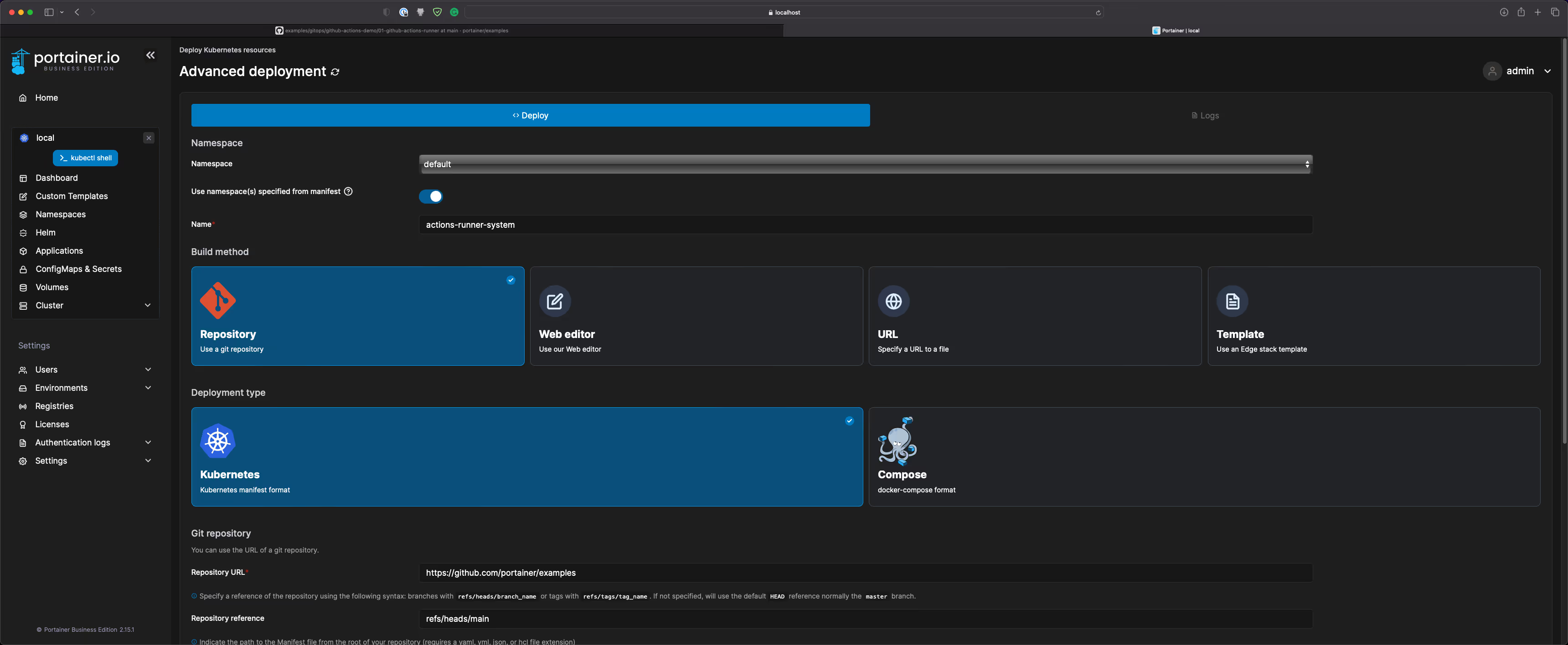
- Deploy self-hosted runners using the GitOps feature referencing to a Git repository. This way, I will be able to control runners' manifest via Git:
ComponentValueNamespaceactions-runner-systemNameactions-runner-portainerBuild methodRepository (Use a git repository)Deployment typeKubernetesRepository URLhttps://github.com/portainer/examplesRepository Referencerefs/heads/mainManifest Path./gitops/github-actions-demo/01-github-actions-runner/runner.yamlAutomatic UpdatesEnabledMechanismPollingForce RedeploymentEnabled

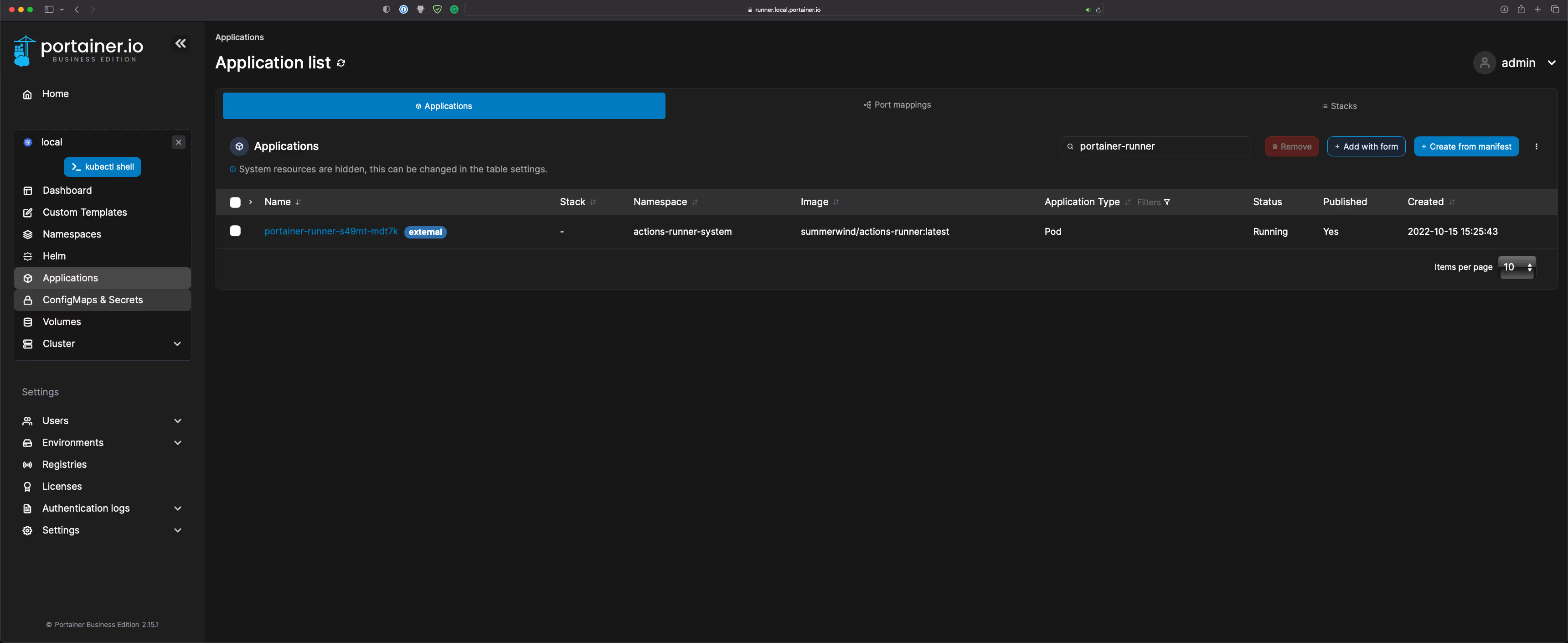
- Check the status of the portainer-runner, and ensure it is healthy:
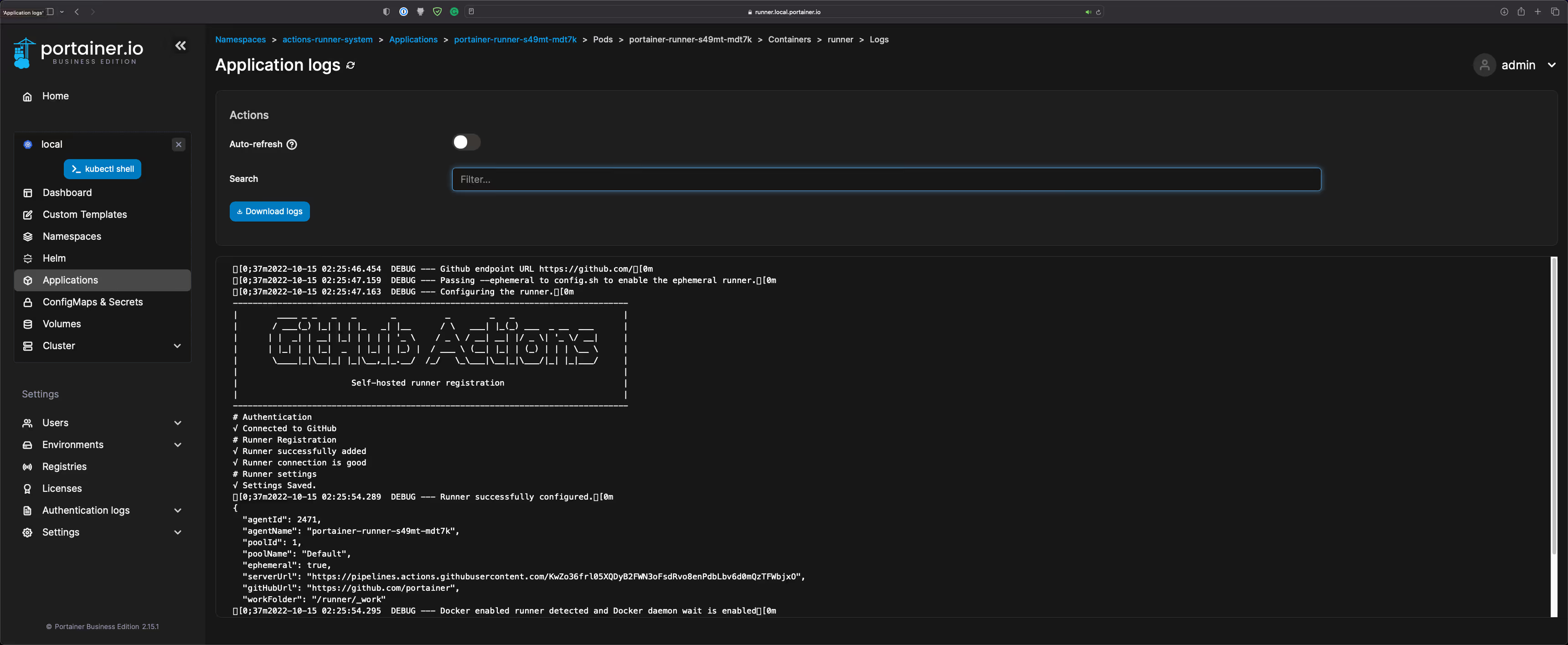
- The runner will also appear in the Runners tab in GitHub:
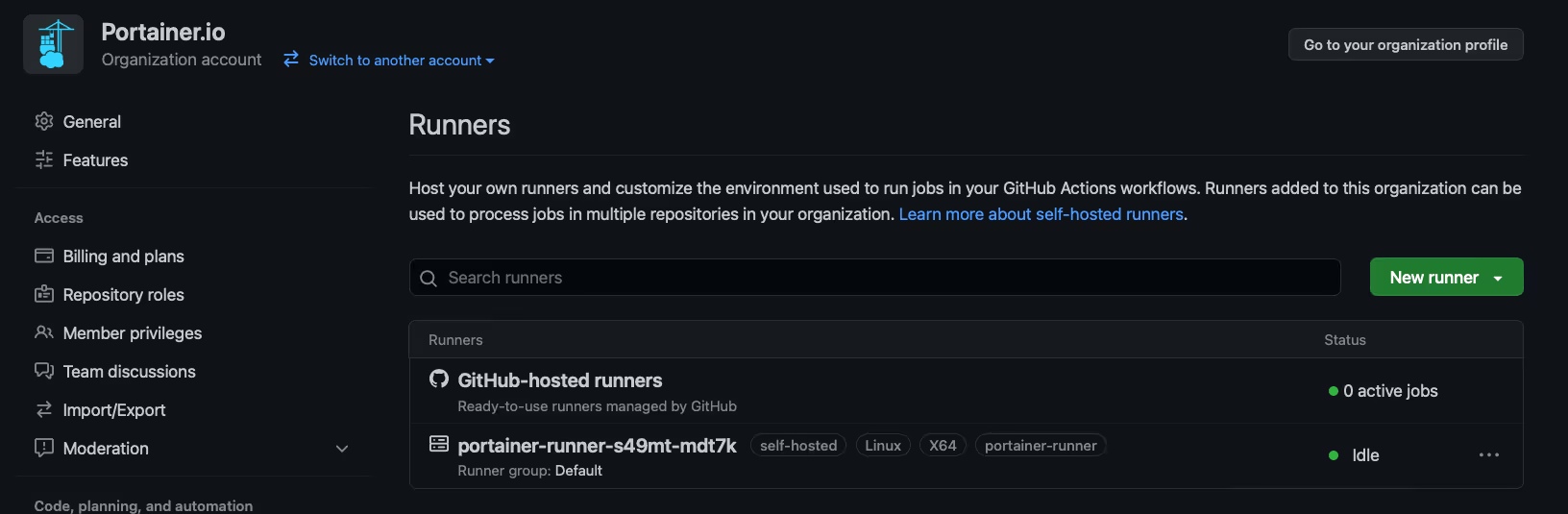
Now, the self-hosted runners in the Kubernetes cluster is setup.
GitHub Actions Workflow
The second part is to execute a sample GitHub Actions workflow:
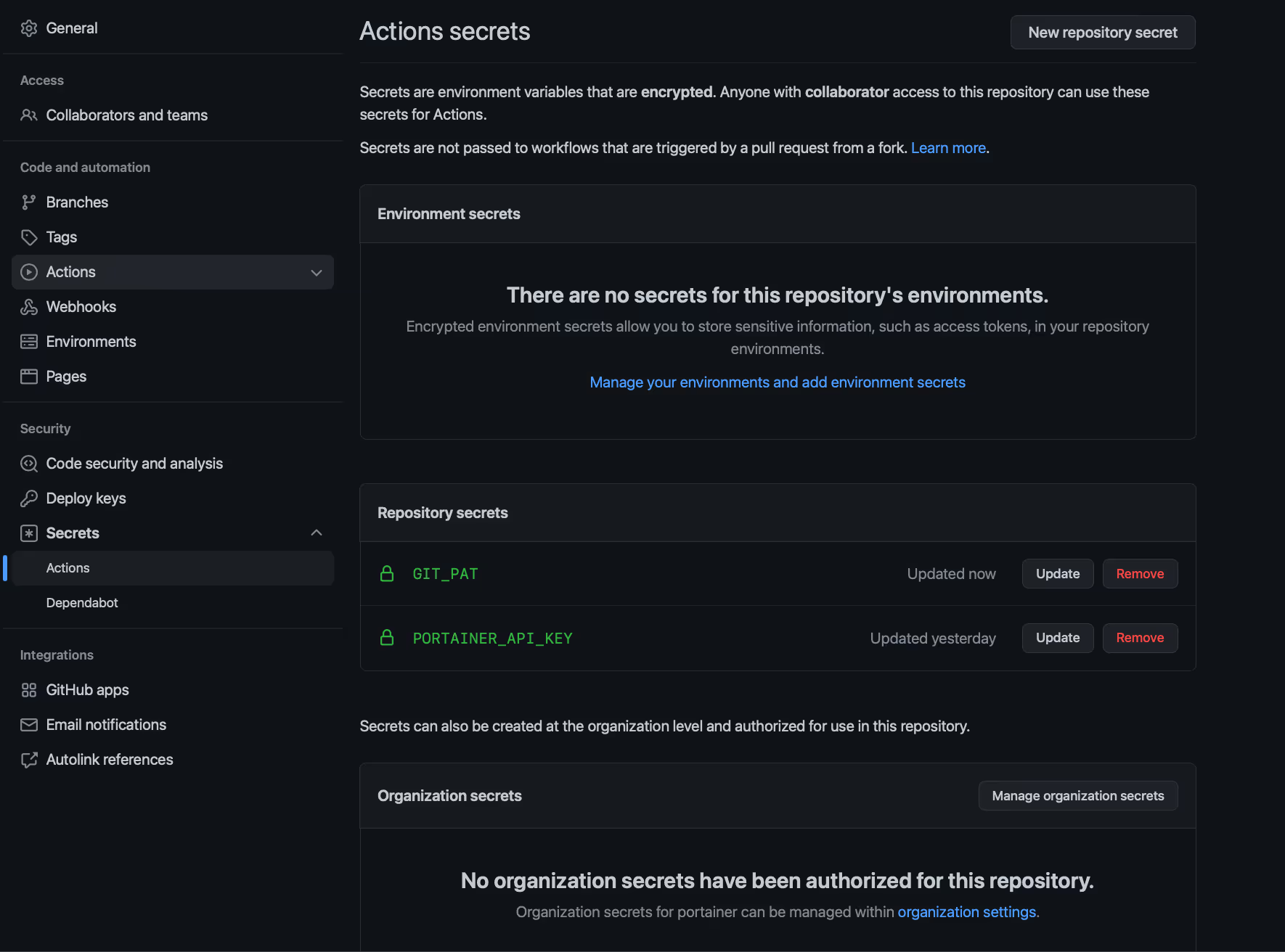
- Generate an access key as per the doc and create a GitHub Actions secret called PORTAINER_API_KEY. Also, interacting with a private repository, make sure a GitHub PAT is added. In this example, I have called it GIT_PAT:
- We are all set to go. Now, navigate to Actions ➝ Portainer GitHub Actions Demo ➝ Run workflow:
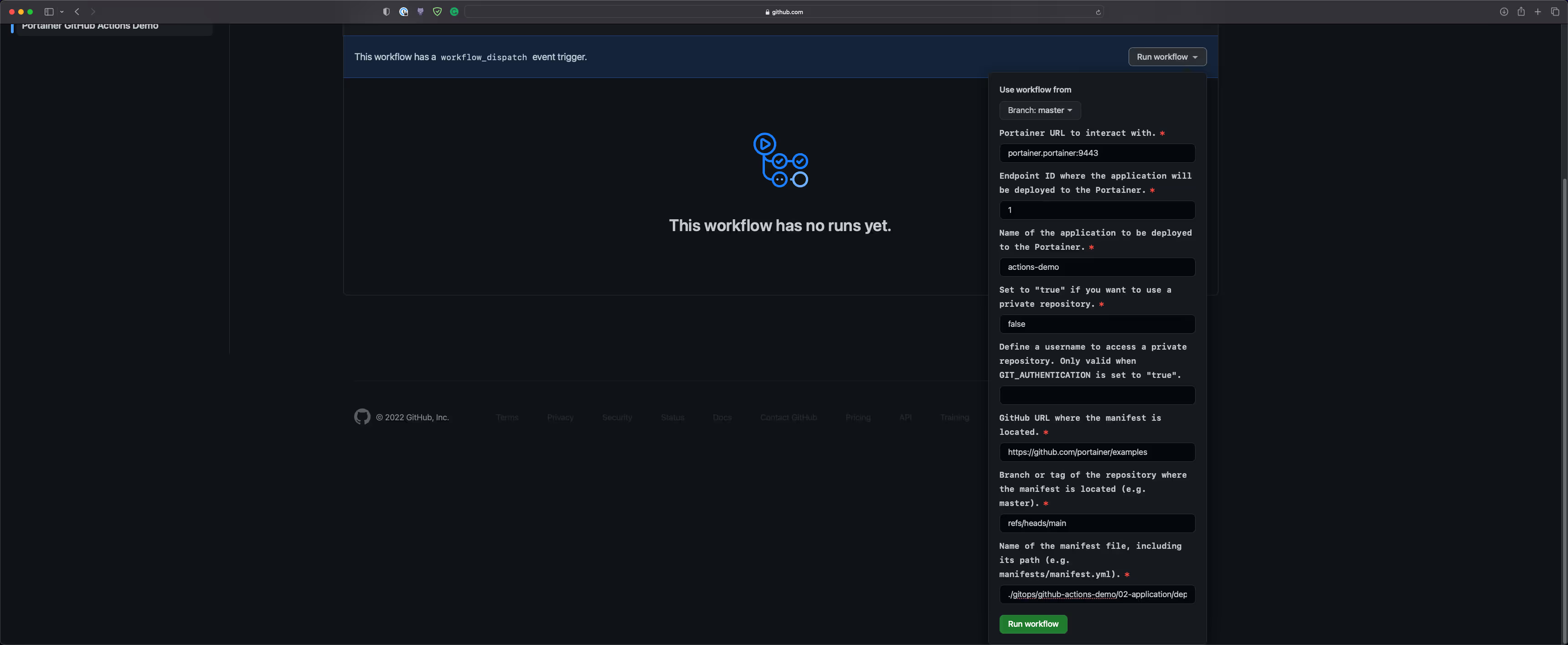
- Note: portainer.portainer:9443 is specified for the Portainer URL. This is possible as our self-hosted runner runs inside the Kubernetes cluster, hence it has access to the Portainer service object
- Check the workflow run:
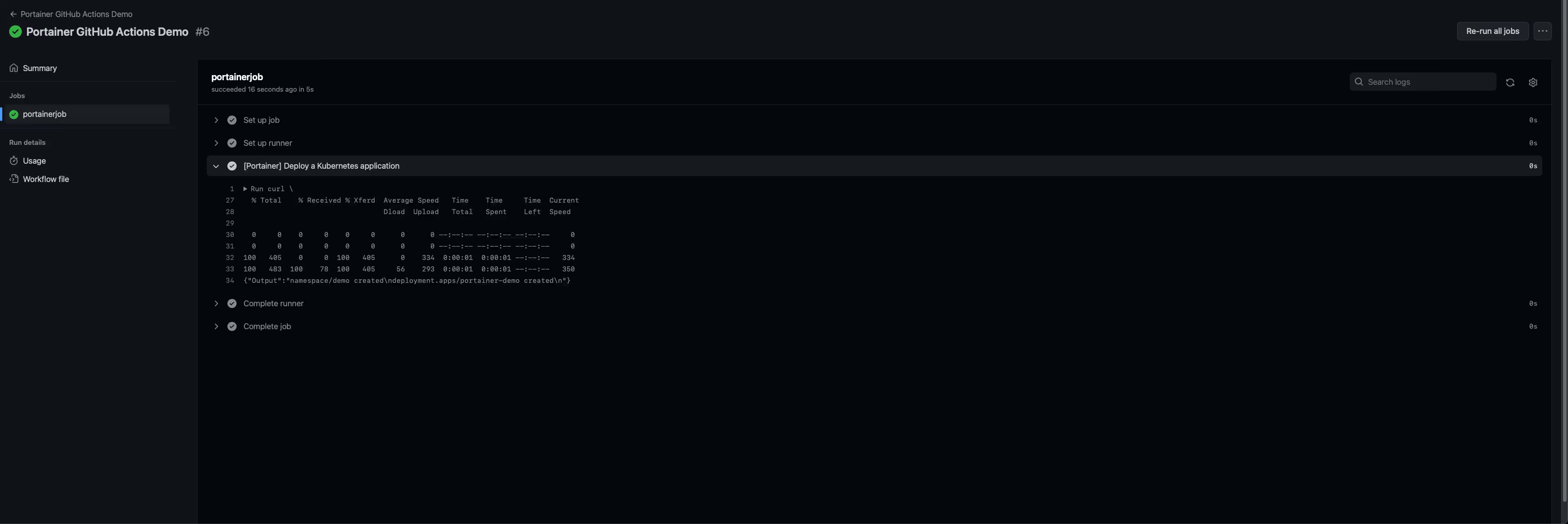
- Navigate to the Applications page in Portainer, there will be an application called portainer-demo:
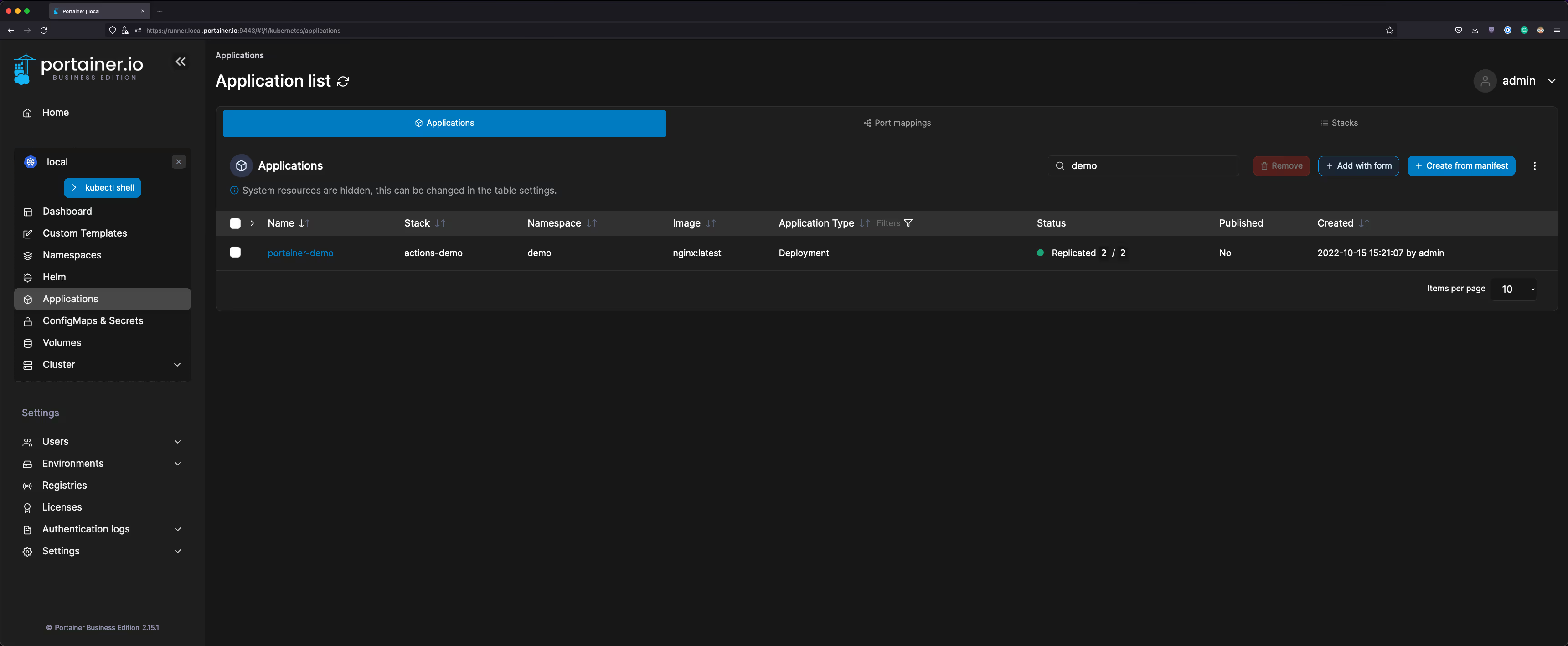
There you go, the application has been provisioned based on the deployments.yaml file defined in the GitHub repository. From now on, this application can strictly be controlled by following the standard Git process.
Scale-out the number of Runners
Lastly, let's scale out the number of self-hosted runners to 10:
- Update the [Portainer] Deploy a Kubernetes application step to:
- name: "[Portainer] Deploy a Kubernetes application"
shell: bash
run: |
echo "Executing the workflow with the id ${{ github.run_id }}"
sleep 300
- Execute the workflow 10 times, and you will see 10 portainer-runner pods popping up in the Applications tab in Portainer:
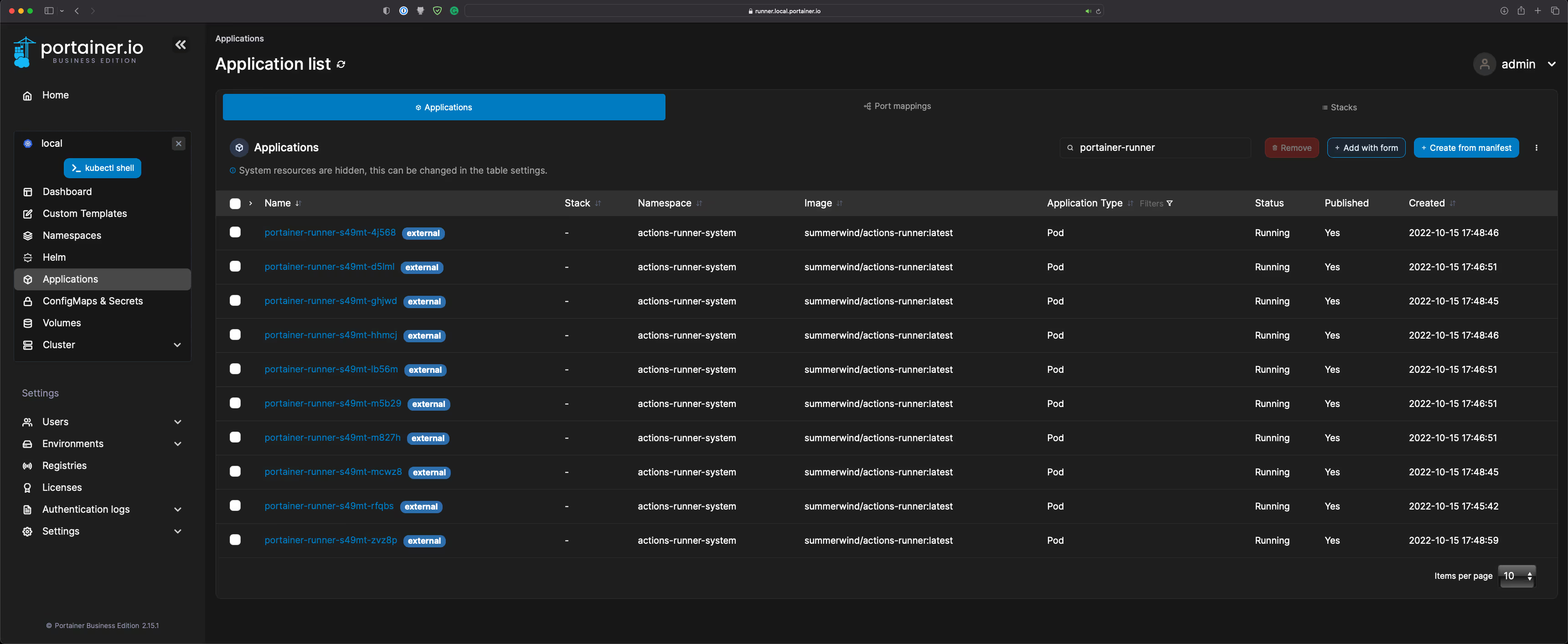
- GitHub Actions tab:
Based on your requirements, modify the HorizontalRunnerAutoscaler block to customize configurations such as minReplicas, maxReplicas, metrics, and so on.
Conclusion
As you can see, not only Portainer can be used to deploy applications via GUI, but it also provides APIs (The API specifications are published via Swagger) for the end users to interact with Portainer programatically.
Give Portainer a try today, experience simplified Kubernetes Operations today.
One platform, not twelve tools.
Govern Kubernetes across your whole fleet from a single control plane. Get 3 nodes free.
Get 3 nodes freeTalk to technical sales