Blog
Deploy Applications on Kubernetes with Portainer - Stateless, Stateful or Daemon
Key takeaways

- This will ensure that your application is deployed as a Daemon.
As you can see with Portainer it's extremely easy to deploy applications as Stateless, Stateful and as Daemon.
You can see a video walkthrough of this here:
Deploying applications on Kubernetes can be done using at least 3 methods, Stateless, Stateful or Daemon. With Portainer it is very easy to deploy applications regardless of the method. Let's check how.
Stateless
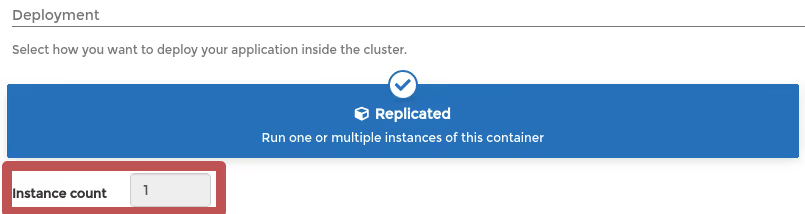
- The Create application option from Portainer by default will deploy applications as a Stateless/Deployment type that you can edit and scale up or down. Under Deployment make sure to select the Replicated option selected:

- You can go back to the application after it is deployed to increase/reduce the amount of instances.
- It's that simple!
- If your application requires persistence, the amount of Instance count will be set to 1 to avoid data loss:
Stateful
- The difference from the method above is that a Stateful application, that necessarily requires persistence on the Data access policy has to be selected as Isolated:
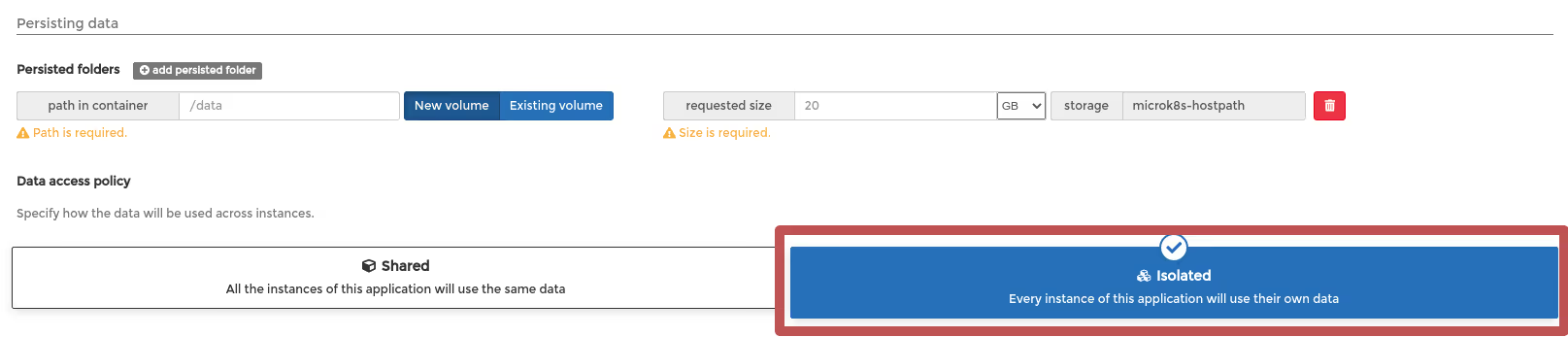
- This is enough to deploy applications with a StatefulSet method.
DaemonSet
- To deploy applications as DaemonSets all you need to do is select a Global deployment method so the pods are copied on every node of the Kubernetes cluster:
- This will ensure that your application is deployed as a Daemon.
As you can see with Portainer it's extremely easy to deploy applications as Stateless, Stateful and as Daemon.
You can see a video walkthrough of this here:
One platform, not twelve tools.
Govern Kubernetes across your whole fleet from a single control plane. Get 3 nodes free.
Get 3 nodes freeTalk to technical sales